T01
Brain
Context
Understands the room, task, sources, and constraints before answering. Shared context helps the work, without turning every message into permanent truth.
Bring AI into the room as a visible teammate in shared work.
Sociail brings AI into the room as a visible teammate in shared work, with room context, reviewable responses, and clear boundaries.
Ready
Hey Sociail and room proof screenshots
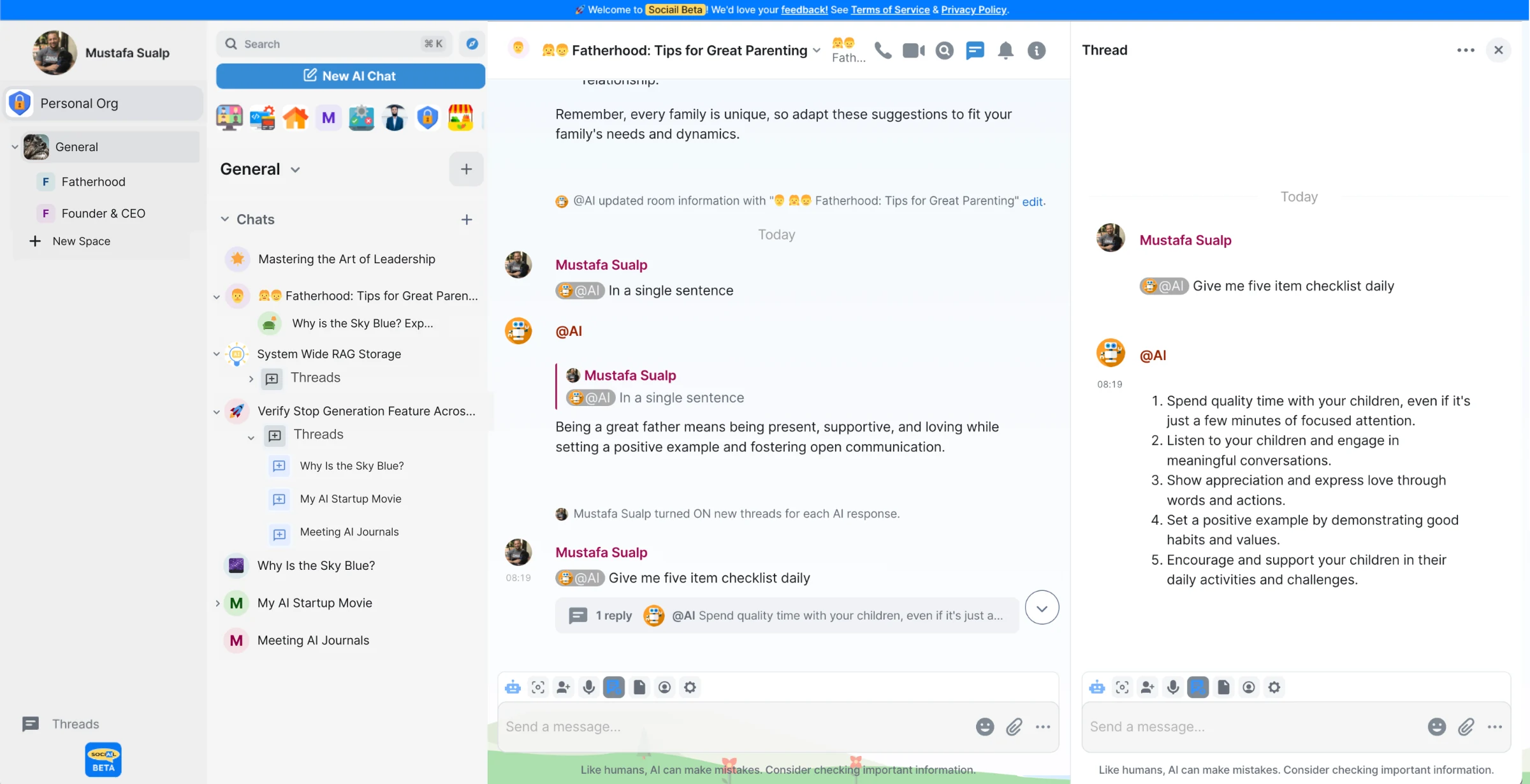
Each page stays inside the proven product boundary: shared context, visible control, durable output, and a support path.
Open the workspace or room where you want help.
Ask Sociail or an approved AI teammate to help with the task.
Review the answer, continue the thread, or turn output into an artifact.
The teammate promise only works when users can see how context, role, memory, action, and follow-through are bounded inside the room.
Understands the room, task, sources, and constraints before answering. Shared context helps the work, without turning every message into permanent truth.
Carries a declared role, tone, priorities, and boundaries so it behaves like this room and this team, not a generic assistant.
Keeps accepted context, artifacts, decisions, and corrections connected to the work. Memory is governed, correctable, and forgettable.
Can prepare drafts, stage work, or request tool use. Consequential changes stay review-first unless a human explicitly grants more authority.
Can check back on narrow work and surface what is stuck. Heartbeat creates a governed opportunity to resume, not hidden permission to act.
These proof images come from the running product and retained launch-readiness checks.
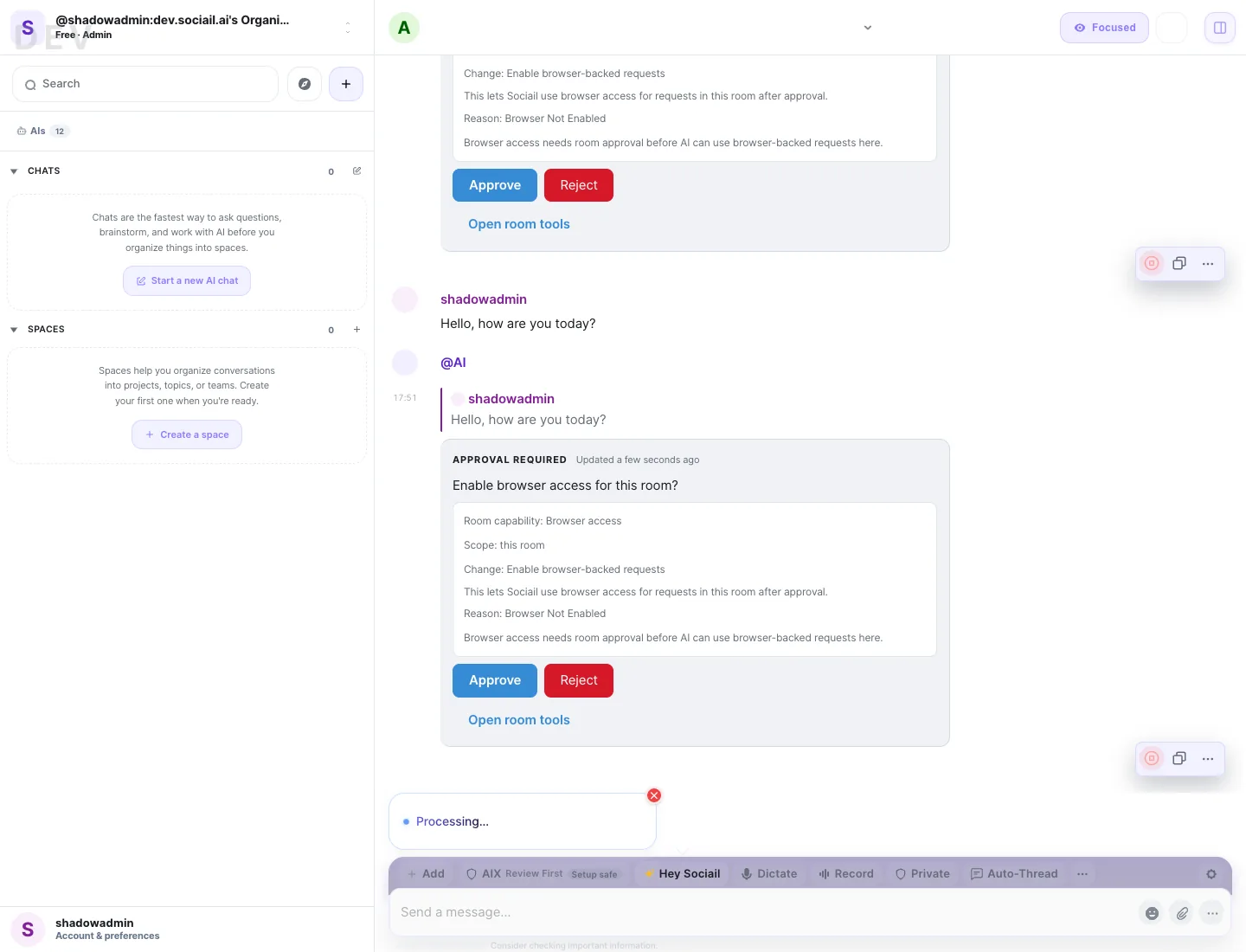
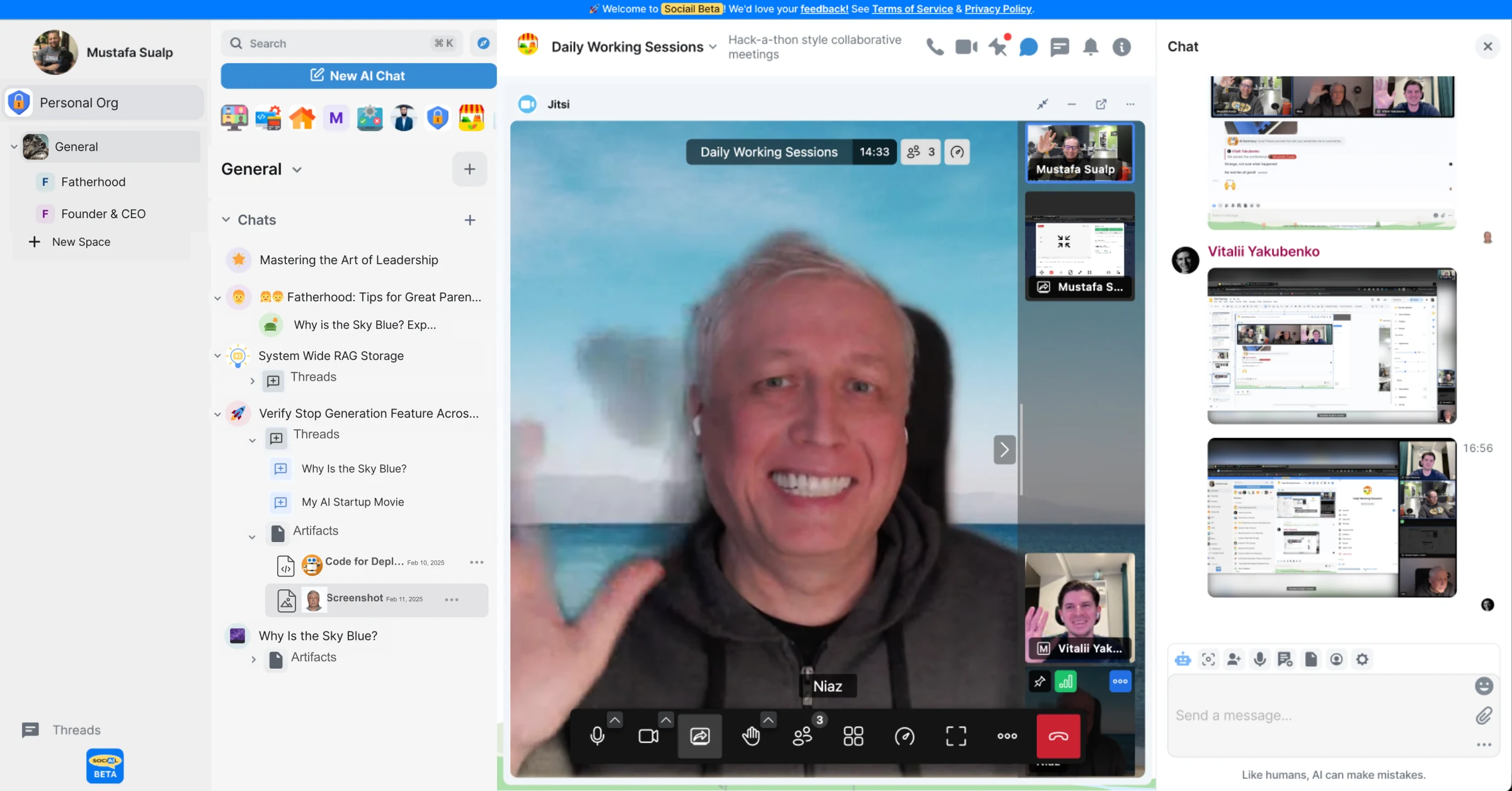
Start with the current feature surface, and use help if setup, access, or trust state is unclear.