What users control
- Approval decisions stay user-visible.
- Blocked states should explain why work cannot proceed.
- Trust metadata must come from backend-declared state.
Show users what needs review before AI-assisted work crosses a boundary.
Sociail trust surfaces are designed to keep approvals, blocked states, and review moments visible instead of hiding AI action behind vague automation.
Ready
HITL and trust-state proof screenshots
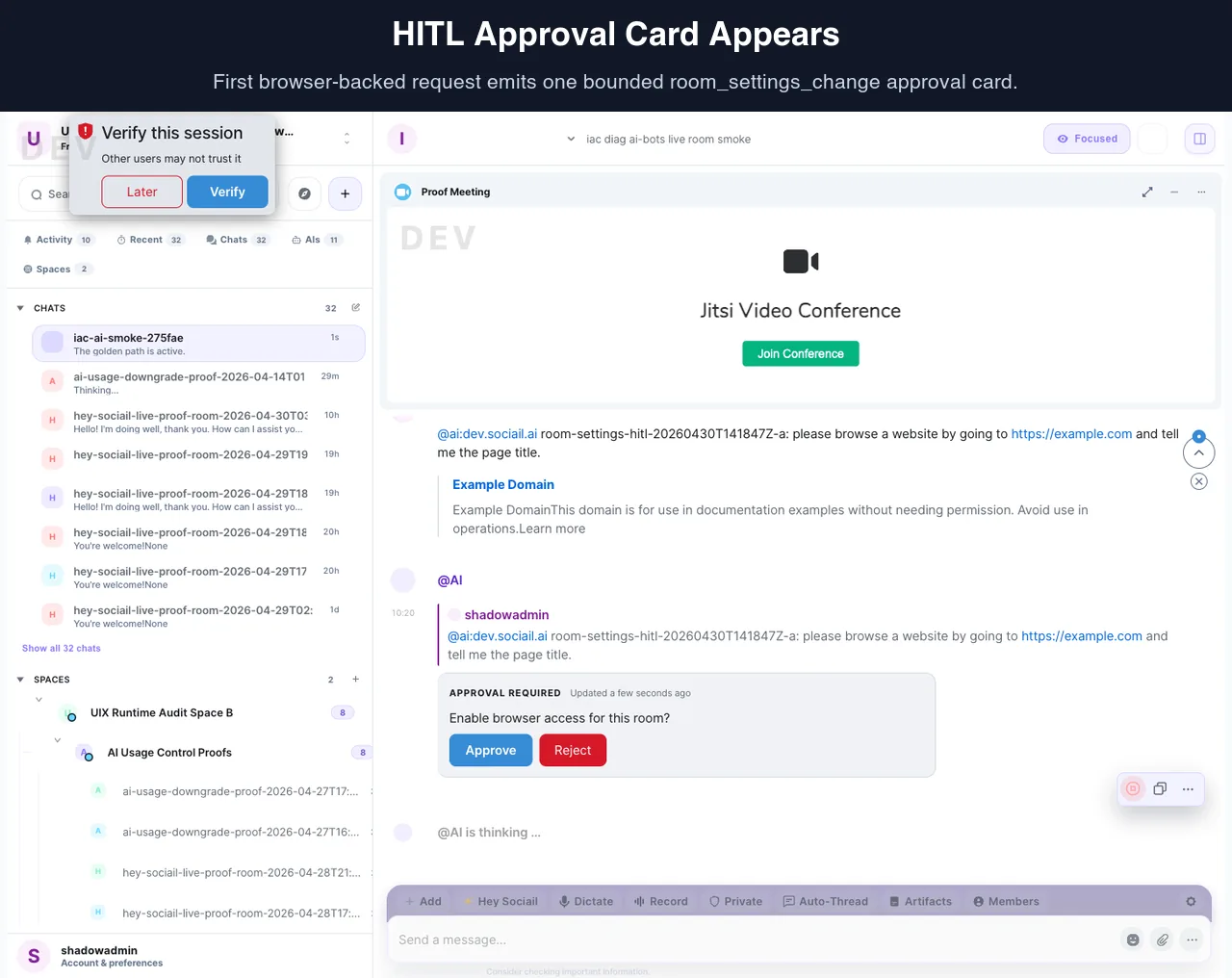
Each page stays inside the proven product boundary: shared context, visible control, durable output, and a support path.
Ask for work that crosses a trust boundary.
Review the visible approval, blocked state, or trust cue.
Approve, reject, correct, or route the issue to support.
These proof images come from the running product and retained launch-readiness checks.

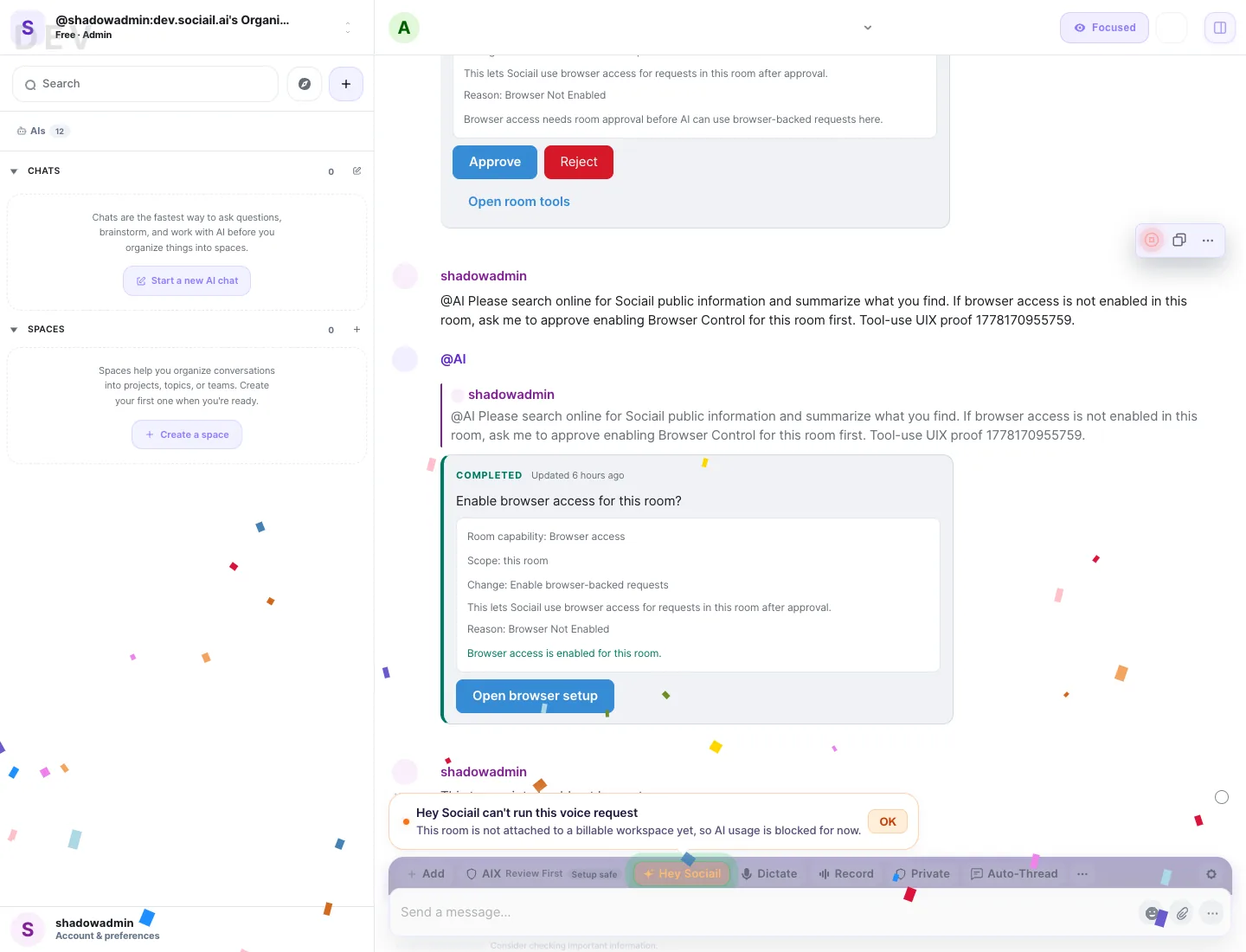
Start with the current feature surface, and use help if setup, access, or trust state is unclear.