Sociail · Features
Product map
Product surfaces and availability

See what Sociail can do
now, what's in preview, and what's next.

Sociail brings AI into your team's shared context — not into another sidebar. This page separates what is ready, in preview, in pilot, and planned next. For concrete examples, see How It Works.

See workflows
Now

Start with the core room experience.

These are the primary surfaces to understand first: the shared room, visible AI participation, and durable work outputs. They help conversations become context, artifacts, decisions, and bounded next steps without widening the Early Access promise.
Availability key
ReadyAvailable for approved Early Access teams.
PreviewWorking, visible, and still limited.
PilotProven in narrow workflows before wider rollout.
PlannedRoadmap intent, not a current product promise.
Ready· Early Access core

Shared AI Rooms

Sociail rooms keep the conversation, participants, AI help, and durable outputs close to the work instead of scattering context across AI tabs.

What users control

  • Room membership stays visible.
  • Work remains attached to the room that created it.
  • Support can route questions from the room context when needed.

Good to know

  • A room is not a promise that every future memory or AI teammate feature is live.
  • Sensitive account, billing, or security issues should move to private support.
  • External tools remain available; Sociail keeps shared context and trust boundaries, and each integration stays gated by proof.
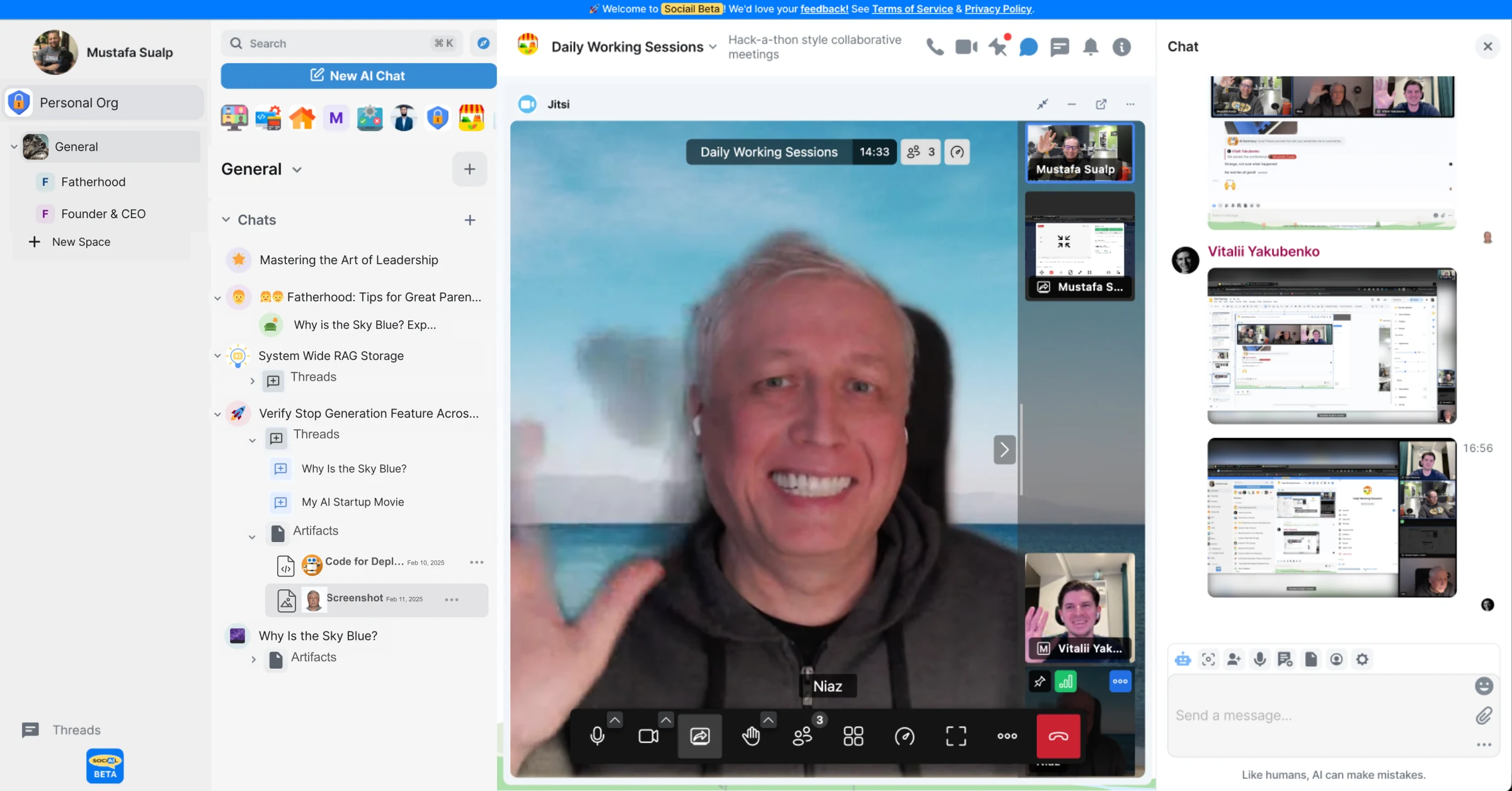
Sociail shared room with people and AI working together
Real productReal room and client proof screenshots
Ready· Early Access core

AI Teammates

Sociail brings AI into the room as a visible teammate in shared work, with room context, reviewable responses, and clear boundaries.

What users control

  • AI participation stays visible in the room.
  • Trust and correction surfaces apply where the backend declares them.
  • Users can ask for help when AI state or room setup is unclear.

Good to know

  • This does not imply independent AI teammates acting outside the shared room.
  • Full memory, ambient mode, and multi-teammate networks remain separately gated.
  • AI output should be reviewed before sensitive or binding use.
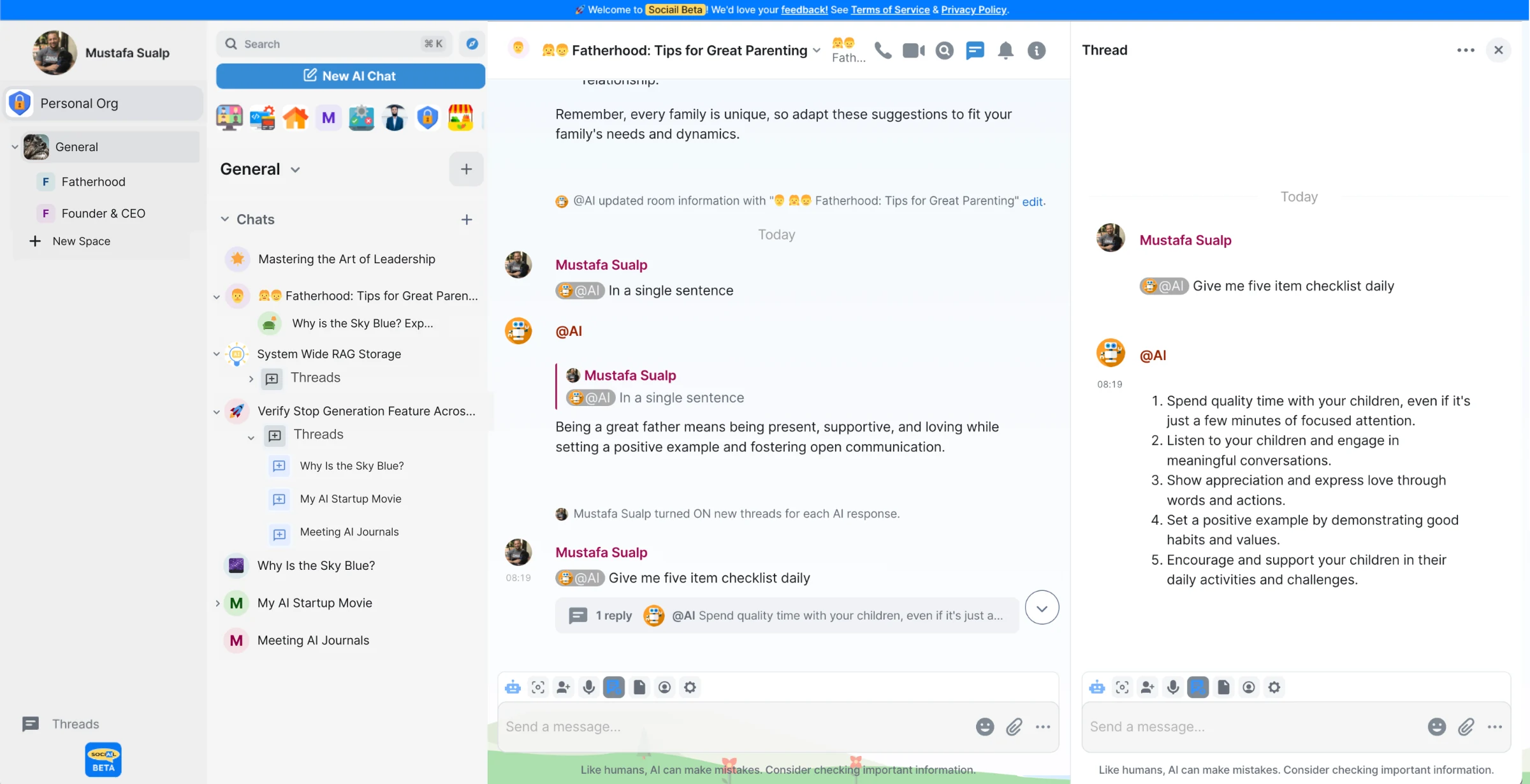
Sociail room showing chat with AI teammates
Real productHey Sociail and room proof screenshots
Ready· Early Access core

Artifacts and Receipts

Artifacts turn work into durable outputs, while receipts help show what happened, what was reviewed, and how the output can be reused.

What users control

  • Users can review artifact visibility before sharing.
  • Revision state and compare surfaces are visible.
  • AI use remains explicit rather than hidden.

Good to know

  • Artifacts do not imply every file type or workflow is already supported.
  • Publishing or deleting important artifacts should stay deliberate.
  • Customer or private data should not become public proof without authorization.
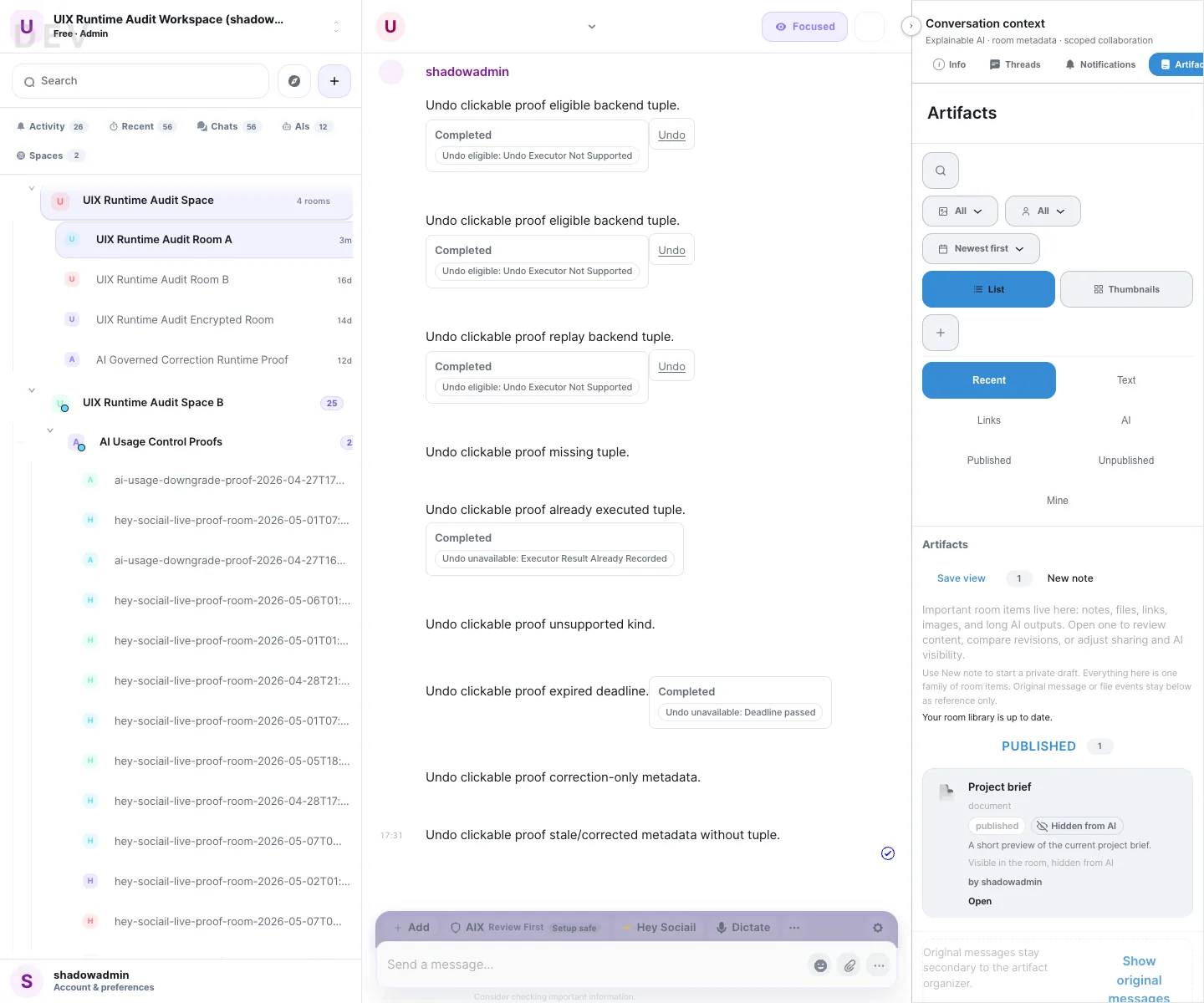
Sociail artifact panel list proof
Real productArtifact panel proof screenshots
Supporting feature pages

More feature pages, with clear boundaries.

These supporting pages explain preview, trust, browser, profile, workspace, and support surfaces. They add context around the core room experience without becoming separate top-level launch promises.

F · 04
Preview

Hey Sociail Voice

Talk to Sociail in the room when voice is enabled.

  • Voice starts from the room context
  • AI response state stays visible to the user
F · 05
Ready

Trust and Approvals

Show users what needs review before AI-assisted work crosses a boundary.

  • Approval cards appear before bounded browser action
  • Blocked states are product-visible
F · 06
Preview

Browser Control

Let a Sociail AI teammate help with browser pages you choose.

  • Starts from the room where the work belongs
  • Uses the invited browser extension
F · 07
Preview

Sociail Me

Make user identity, preferences, and AI boundaries easier to shape.

  • Starts from explicit profile and preference settings
  • Keeps AI behavior boundaries user-facing
F · 08
Ready

Workspace Controls

Keep plan, usage, members, and access state visible to workspace owners.

  • Plan and billing posture stays visible
  • Usage and limits have a product surface
F · 09
Ready

Help and Support

Keep support close to the product, with private paths for sensitive issues.

  • Public help stays close to the product
  • Sensitive issues move to private support
Proof lanes

What we're proving in pilot.

These are narrow pilot lanes. They stay conservative until browser proof, support paths, receipts, activity visibility, and claim boundaries are ready.

Pilot

Room Data alpha

Review-first room knowledge for approved pilot workflows. AI can suggest useful structure; people review, apply, correct, or reject it before it becomes reusable context.

No hidden memory or direct database builder
Pilot

Communication activity

Room-native visibility for email, SMS, phone, and meeting activity before broader send, reply, call, or meeting-AI workflows open.

Read projection, not an inbox, dialer, or meeting bot
Pilot

Prompt + Cortex metadata

Better routing, effort, prompt safety, and explanations without exposing chain-of-thought or bypassing policy.

Explain decisions, not hidden thinking
Pilot

Model routing calibration

Use the right model lane for the job while respecting privacy, entitlement, provider security, and cost controls.

Replaceable models, stable Backbone lanes
Pilot

API denial proof

Service-account access starts with narrow Room Data and receipt flows, including denied, revoked, wrong-room, and no-secret proof.

No broad public API promise
Planned

What we're planning next.

These deeper platform layers are intentional roadmap surfaces. They open only when the trust, memory, policy, receipt, support, and cost backbone can carry them.

Planned

Capability vaults

Protected capability handles for sensitive tools, with review-first actions, receipts, and no model-visible secrets.

Planned

Agent huddles

AI can help prepare proposals and compare options, while humans still review, decide, and own binding commitments.

Planned

AI in meetings

Visible meeting presence, transcript lineage, recap drafts, and disclosure-first controls before any ambient behavior.

Planned

Richer team knowledge

Room knowledge that goes beyond chat history: review-first, source-linked, correctable, exportable, and revocable.

Planned

Code rooms

Dedicated engineering spaces for repos, branches, reviews, and AI assistance scoped to the codebase.

Planned

Marketplace + wallet

Distribution, spend grants, and settlement layers only after identity, receipts, disputes, and governance mature.

Some things stay earned, not assumed. Public marketplaces, broad autonomous purchasing, public AI teammate networks, and wallet-like flows need deeper trust, policy, support, and dispute layers before they become public product claims.
Request-led Early Access
Bring AI into the room with your team.

Sociail is request-led during Early Access, with selective onboarding for small teams. If you want AI in the room with your team, request Early Access.

How Early Access works