What users control
- The user chooses when to enable the browser bridge.
- Approval cards stay visible for bounded action.
- Setup trouble routes to Browser Control help.
Let a Sociail AI teammate help with browser pages you choose.
Browser Control starts from a Sociail room, uses the invited extension as the bridge, and keeps setup, room enablement, and approval state visible.
Preview
Browser setup and approval proof screenshots
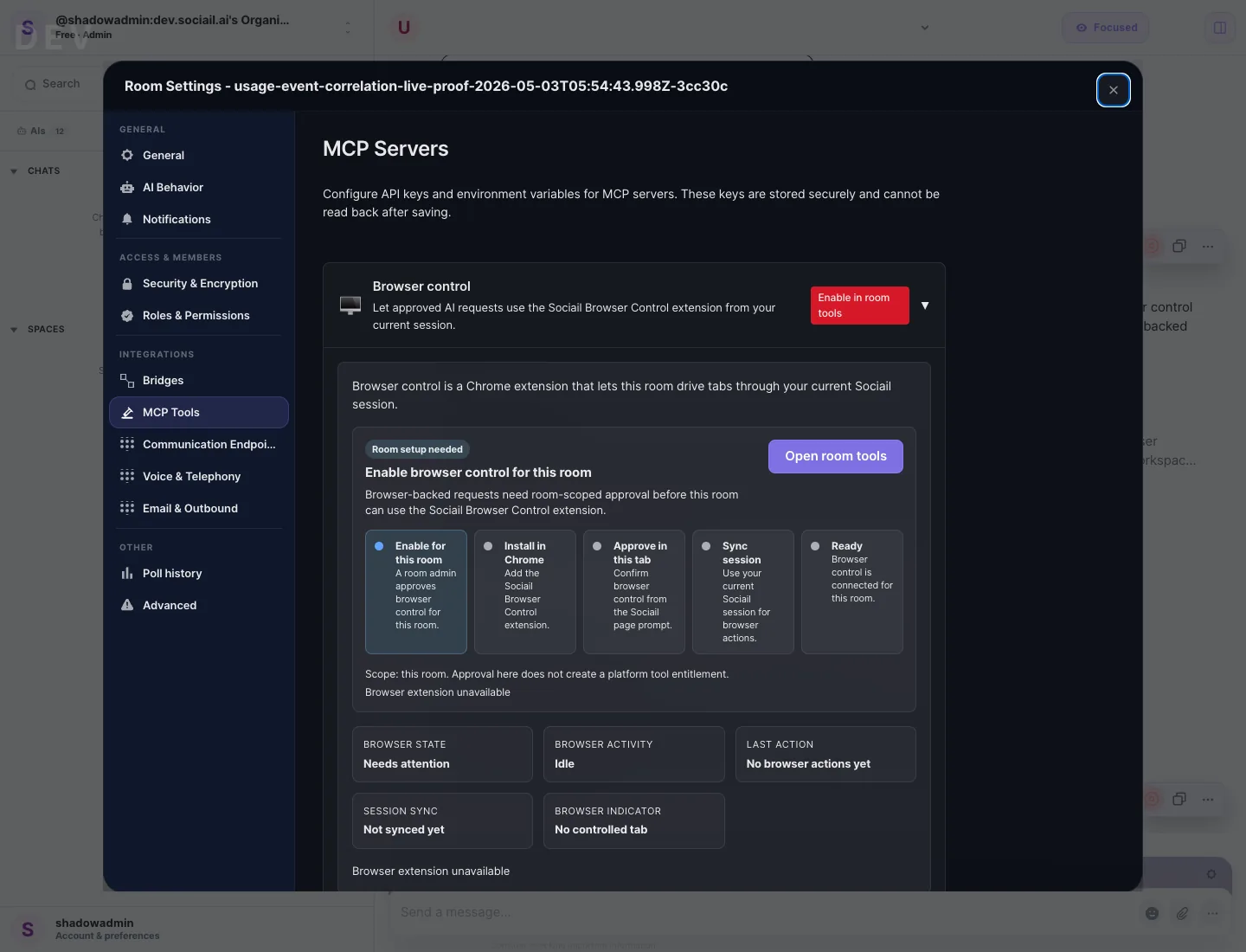
Each page stays inside the proven product boundary: shared context, visible control, durable output, and a support path.
Install the invited Chrome extension.
Open the right Sociail workspace and room.
Review setup or approval prompts before browser help begins.
These proof images come from the running product and retained launch-readiness checks.
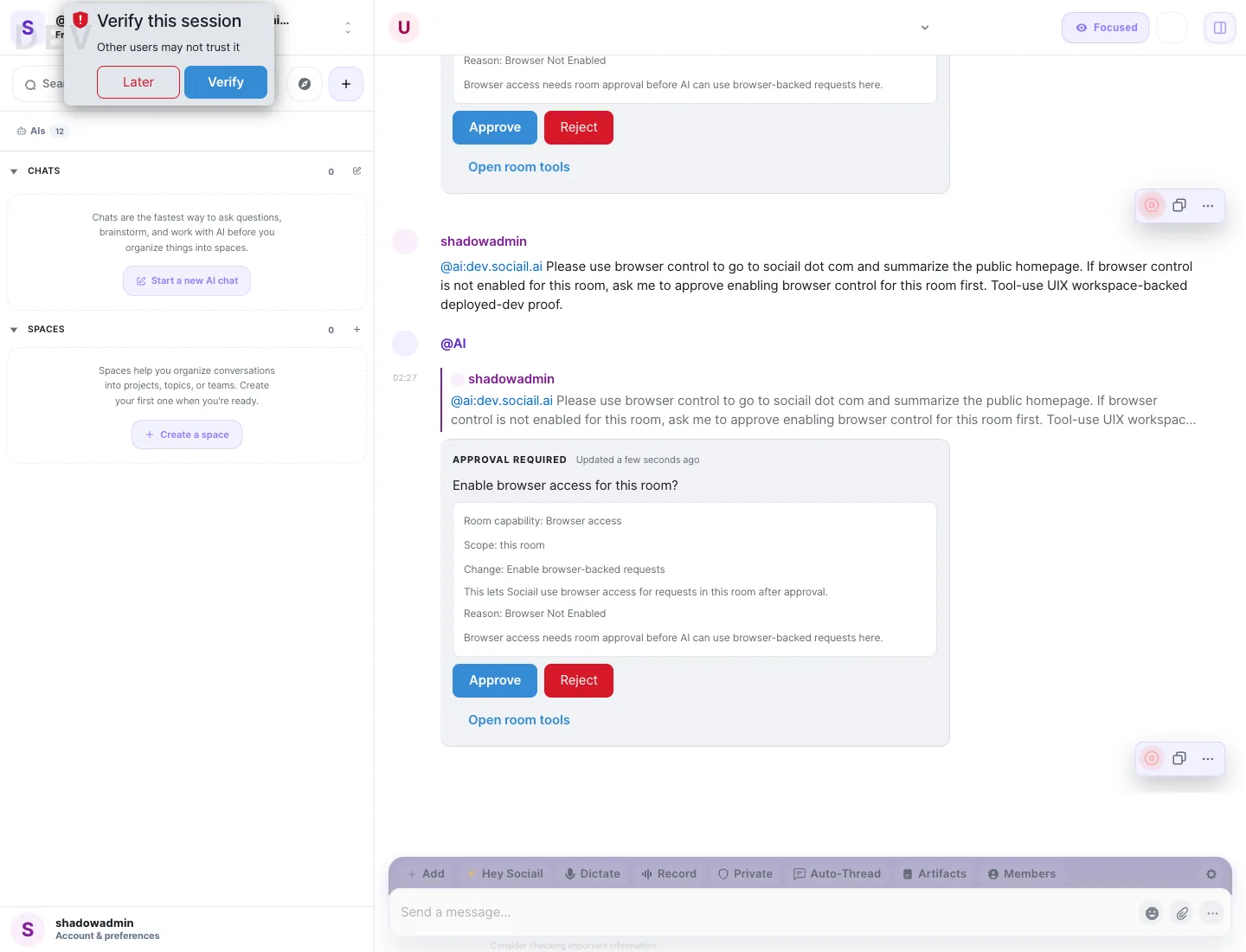
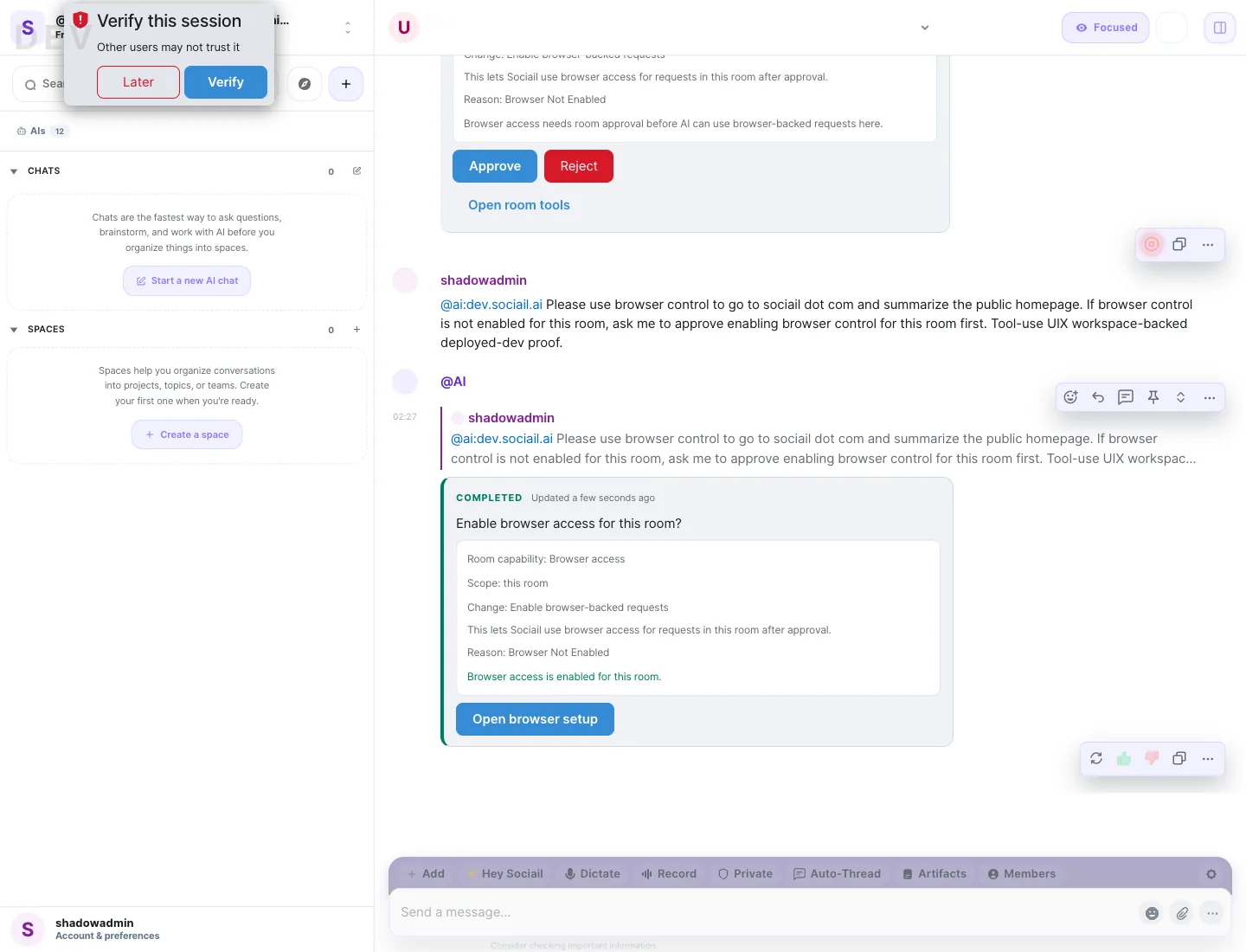
Start with the current feature surface, and use help if setup, access, or trust state is unclear.